
Video
Last updated:
18 August 2025
Accessibility
- Always ensure you consider accessibility when producing videos for UAL.
- This includes providing subtitles, captions and audio descriptions.
- Use audio description on all video content on the UAL website or digital systems. UAL Staff can access guidance on how to create audio descriptions on Canvas.
- Find more guidance on accessibility for social and video content in our social media guidelines.
Types of video
Brand
Videos produced to build understanding about our brand should:
- hold a high production value
- be produced at 16:9 for landscape viewing, with shorter cuts at 9:16 depending on where it’s being shared.
Story driven
Message driven
Product driven
Social
Videos produced for social media should:
- range across high-mid-low production value depending on the style of content and the channel
- be produced at 9:16, 16:9 and 4:5 for a mixture of portrait and landscape viewing
- consider accessibility when thinking about music, sound and visuals
- Visit our social media guidelines for more guidance on producing social-first content.
Instructional
Videos produced to give a series of instructions or directions should:
- be a mixture of high-mid production value, depending on audience and whether it's used internally or on public platforms
- produced at 16:9 for landscape viewing
- consider accessibility needs so the instructions can be easily understood by all audiences.
Look and feel
Optimisation
Optimise for channel and audience to ensure your video receives better engagement:
- Consider the best aspect ratio for the channel.
- Edit your video to a duration which will hold attention and align with channel best practice.
Production quality
- Aim for the best possible production value by using a camera and tripod.
- Certain types of social video can perform better at a lower production value. These will have a lower video quality resolution but still consider the video's message and purpose and feel on-brand.
- Use external mics where possible and film in quiet spaces if filming interviews.
Grading
- Never use grayscale, sepia or any grades which over-expose the footage.
- Make sure people and surroundings look as close to real life as possible.
Music
- Use paid for, royalty-free music that matches the tone of the project.
- Avoid vocals or loud instrumental sections due to accessibility.
- If budget allows, work with a music producer or sound designer to make a bespoke track.
Transitions and effects
- Avoid transitions and use pure cuts instead. Consider using two cameras when filming talking heads to allow this.
- If using transitions, opt for fade transitions, never swipe.
- When using any specific transitions native to your video's creative direction, such as multiple jump cuts, match cuts or fast moving imagery, always consider how this may impact the viewer.
- For any video with severe use of flashing imagery, always use a trigger warning at the beginning.
Talking heads
- In talking heads or vox-pops with internal staff or students, remove lanyards as this can look corporate and be distracting for the viewer.
- Make sure there are no external, non-UAL logos in the frame.
- Consider your environment and framing. Make sure there are no distracting objects in the background, such as estate signage, radiators or building damage.
- Ensure lighting is flattering. If you don't have access to lighting, consider how natural light and the changes in weather affect light consistency throughout the video.
- Always try using 2 cameras, one placed in front of the subject and one to the side. Both cameras should be placed at the subject's eye line or slightly above to create a smooth movement between the cuts when switching from one camera to the other.
External logos
- Avoid use of clothing with prominent logos.
- Avoid any materials in your shot which may include other, external logos.
Motion graphics templates
Our templates provide brand consistency and ensure accessibility. They are designed to be used in Adobe Premiere Pro with aspect ratios and social channel interfaces in mind.
File types
.mov:
- Available for ‘opening and closing sequences’ only.
.mogrt:
- These have been pre-designed and cannot be previewed or changed.
- Available for all motion graphics.
prtextstyle:
- This is a pre-set text style which can be used for caption styling once a sequence has already been transcribed using AI/manually within Premiere Pro.
Templates
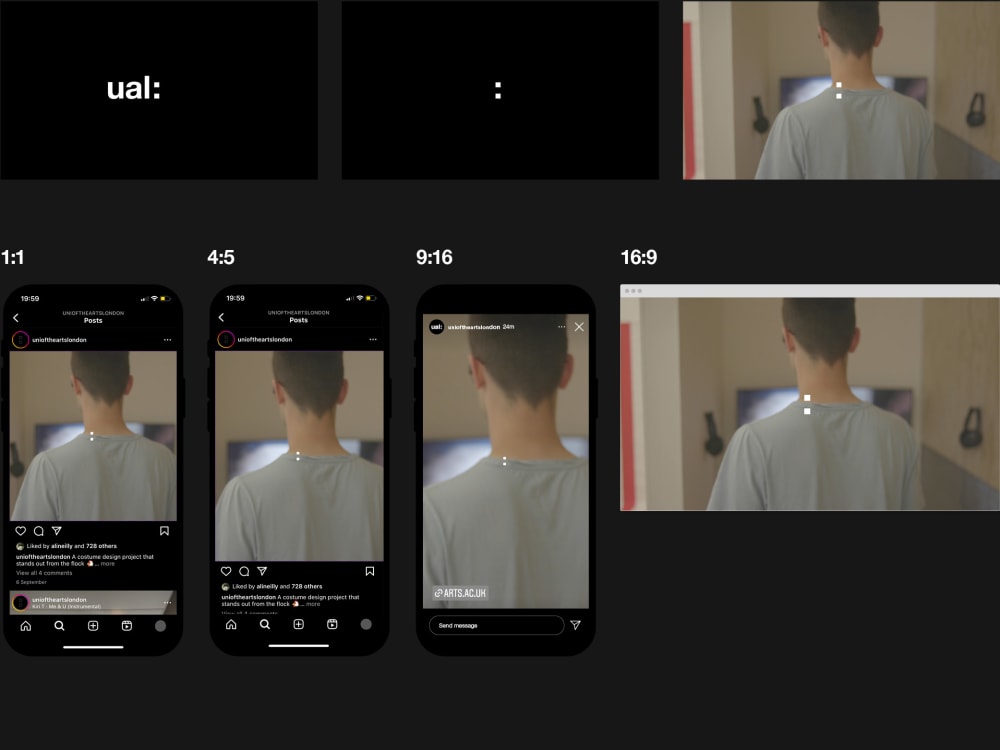
Opening sequence
- To be used at the start of any video in its full duration.
- It can fade from black and overlap on top of footage.
- If a video is especially short or you need to grab attention, don't use the opening sequence. Use the closing sequence at the end so our brand is still visible.
Captions
- To be used on all video to make them fully accessible.
- Optimised for 1080p (4k versions are available on request).
- Where transcripts/SRT files can be uploaded directly on a platform, opt for this option rather than burning captions into the video.
- Any video that is uploaded to the UAL website should have audio description (AD) added. Read more about accessibility in video.

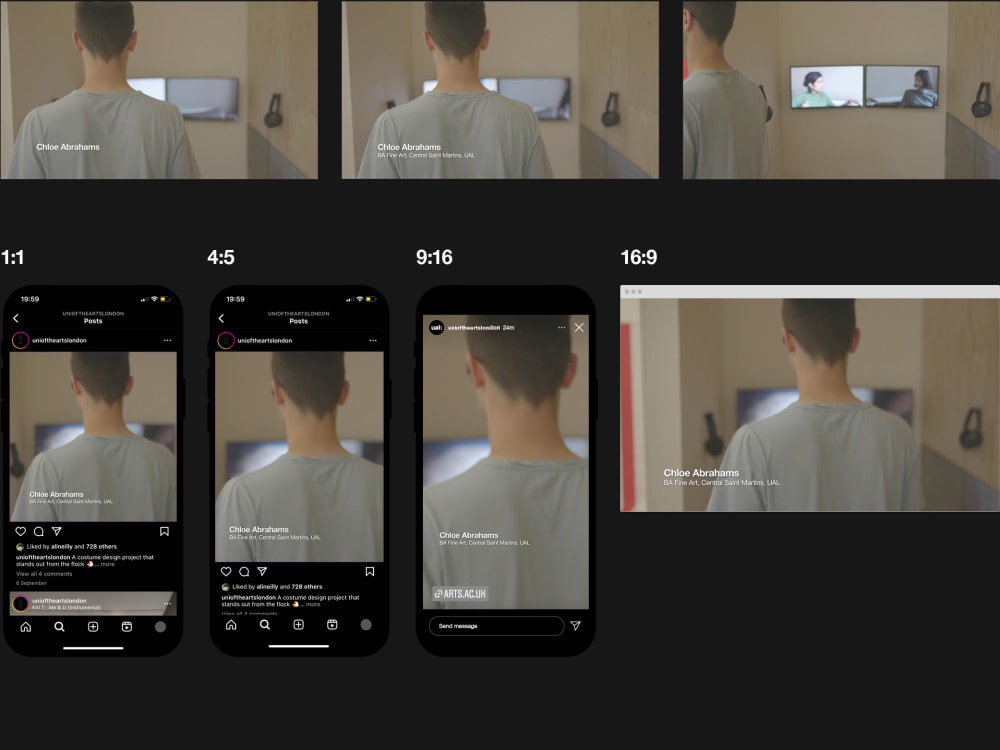
Lower thirds
- Used to introduce who is speaking on camera.
- If the production includes only one person, you can credit them within the description field of the post within the channel.
- Use them after a few seconds of speaking so templates aren't used too close together.
Title cards
- Used when text is required within a video.
- Available in 4 versions: for left and central alignment and for long and short word counts.

Credits
- Used to credit those featured in your video.
- In many cases it’s better practice to credit participants within the description field of the post.

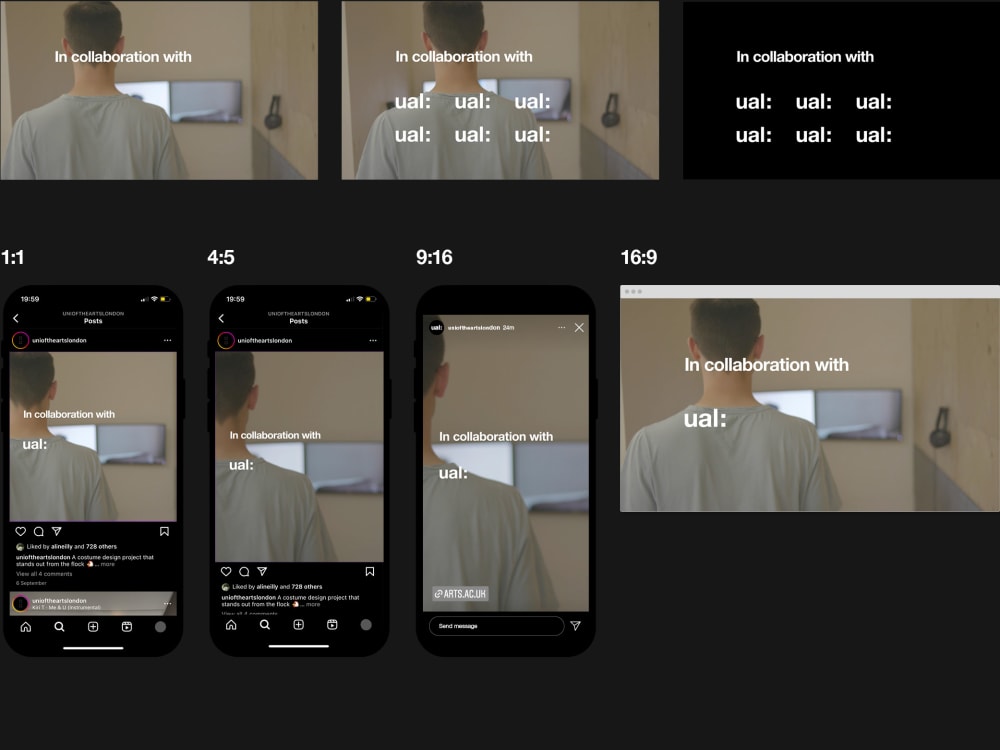
Sponsorship/collaboration
- Used when a video is a piece of sponsored content or collaboration with another brand.
- Sponsored content is when another brand has contributed to the costs of or otherwise supported a project.
- A collaboration is when UAL or a College have directly worked together with another brand on a project.
- Available in 2 versions: for one or multiple logos.
Closing sequence
- Used at the end of all videos.
- If a video is especially short due to the platform it's being shared on, don't use the closing sequence. Use the opening sequence so our brand is still visible.
- Available in individual and group compositions for our entire logo portfolio including Colleges, Institutes, Research Centres and Academic Enterprise.
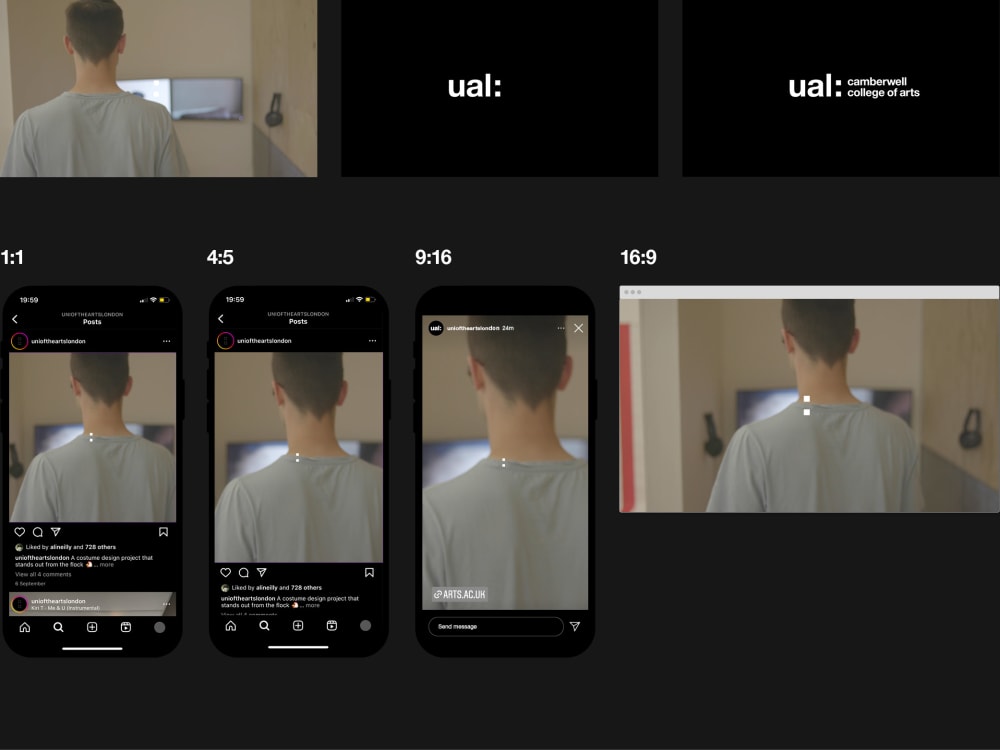
Video structure
This shows the order of the templates if using all of them in your video.